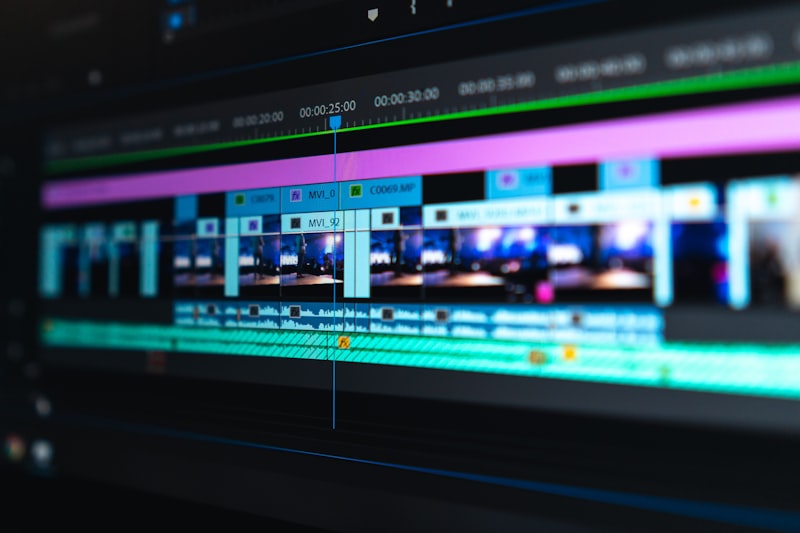
Best Video Editing Software for Beginners (Free & Paid)
In an age where content creation is king, knowing how to edit videos effectively has become a crucial skill for aspiring creators, marketers, and even casual users. Whether you're looking to spice up social media posts, create tutorials, or craft the next viral video, having the right tools at your disposal makes all the difference. In this article, we will explore the best video editing software for beginners, focusing on both free and paid options to help you embark on your video editing journey.
As a beginner, finding easy video editing software can be overwhelming with numerous options available in the market. Each software has its unique features, interface, and price range. That's why we’ve curated this guide to help you choose the best video editor of 2026 that aligns with your needs, skill level, and budget.
Why Choosing the Right Video Editing Software Matters
Selecting the right video editing software is vital for several reasons:
With all these factors in mind, let's dive into the best video editing software for beginners!
Top Video Editing Software Options
1. Adobe Premiere Rush
Adobe Premiere Rush is a beginner-friendly video editing software that provides an excellent balance between functionality and ease of use.
| Feature | Details |
|---|---|
| Platform | Windows, macOS, iOS, Android |
| Price | Free version; $9.99/month for premium |
| Key Features | Multi-track editing, customizable motion graphics, drag-and-drop editing |
Pros and Cons
Pros:
Cons:
2. iMovie
For Apple users, iMovie is often recommended due to its powerful features and user-centric design.
| Feature | Details |
|---|---|
| Platform | macOS, iOS |
| Price | Free |
| Key Features | Templates, 4K resolution, easy-to-use timeline |
Pros and Cons
Pros:
Cons:
3. Shotcut
Shotcut is an open-source video editor that serves as an excellent option for those looking for a free video editor with robust features.
| Feature | Details |
|---|---|
| Platform | Windows, macOS, Linux |
| Price | Free |
| Key Features | Wide format support, customizable filters, multi-format timeline |
Pros and Cons
Pros:
Cons:
4. Filmora
Filmora offers a perfect blend of functionality and user-friendliness, making it one of the best video editing software for beginners.
| Feature | Details |
|---|---|
| Platform | Windows, macOS |
| Price | $69.99/year |
| Key Features | Easy drag-and-drop editing, numerous effects, pre-made templates |
Pros and Cons
Pros:
Cons:
5. OpenShot
OpenShot is a free, open-source video editor that caters to a beginner's needs, offering straightforward tools and features.
| Feature | Details |
|---|---|
| Platform | Windows, macOS, Linux |
| Price | Free |
| Key Features | Drag-and-drop, unlimited tracks, 3D animations |
Pros and Cons
Pros:
Cons:
Comparison Table of Best Video Editing Software for Beginners
| Software | Price | Platforms | Best For |
|---|---|---|---|
| Adobe Premiere Rush | Free; $9.99/month (premium) | Windows, macOS, iOS, Android | Multi-platform users |
| iMovie | Free | macOS, iOS | Apple users |
| Shotcut | Free | Windows, macOS, Linux | Open-source lovers |
| Filmora | $69.99/year | Windows, macOS | Beginners needing templates |
| OpenShot | Free | Windows, macOS, Linux | Budget users |
Frequently Asked Questions
1. What is the best free video editing software for beginners?
Answer: Software like Shotcut and OpenShot offer powerful features without any cost, making them excellent choices for beginners.
2. Can I use Adobe Premiere Rush for free?
Answer: Yes, Adobe Premiere Rush offers a free version with limited features, allowing you to explore basic functionalities before considering a paid plan.
3. Is iMovie only available for Mac users?
Answer: Yes, iMovie is exclusively available on macOS and iOS devices.
4. Does Filmora have a trial version?
Answer: Yes, Filmora offers a free trial, but be aware that videos will have a watermark.
5. What features should I look for in video editing software as a beginner?
Answer: Focus on an easy-to-use interface, basic editing tools like trimming and transitioning, and a robust library of effects and templates.
6. Is there any paid video editing software that is beginner-friendly?
Answer: Adobe Premiere Rush and Filmora are both excellent paid options that cater to beginners with user-friendly interfaces.
7. What should I do if I want more advanced features later on?
Answer: After gaining experience, consider upgrading to software like Adobe Premiere Pro or DaVinci Resolve for more advanced editing capabilities.
Conclusion
As you embark on your video editing journey, choosing the best video editing software for beginners is essential for crafting compelling content. Options like Adobe Premiere Rush, iMovie, Shotcut, Filmora, and OpenShot provide varying degrees of complexity and features to accommodate novice editors. Whether you prefer a free video editor or are ready to invest in a premium solution, there's something here for everyone.
Finding the right video editing software can elevate your projects and help bring your creative visions to life.
Ready to Take the Next Step?
If you're ready to enhance your digital media skills or need assistance with AI automation, web development, or other tech solutions, contact HaseebSoft today and let us help you achieve your goals!